 Aviya Koresh
Available for workAviya Koresh
Available for work
Customer service, one shift at a time. Crewly is a customer-service and shift-operations system for delivery businesses, built for the three people who work on the same conversation: the agent, the shift manager and the operations manager.
Sign in as an agent, a shift manager or an operations manager. No password needed.
When a delivery order goes wrong, the customer contacts an agent. The cause may be the branch, the courier or the app. The agent has to investigate, compensate and get back to the customer without losing the other conversations in the queue.
My years as an agent and an instructor
One flow per role
Light and dark, checked for contrast
An agent can’t tell when a conversation has been left unanswered while another one is demanding attention.
A shift manager learns who went over quota after the fact, and approvals queue up behind other work.
An operations manager gets numbers in pieces, with no single view of the branches and how customers rate them.
Every pain point maps to something you can find on a screen.
Several conversations at once, timers to remember, and the context of past conversations spread across other places.
Solution: Up to five active chats with a timer on each, a summary and previous conversations beside the chat, and internal notes inside the same thread.
No live view of who is over quota or slow, and refund requests that wait without a clear owner of the problem.
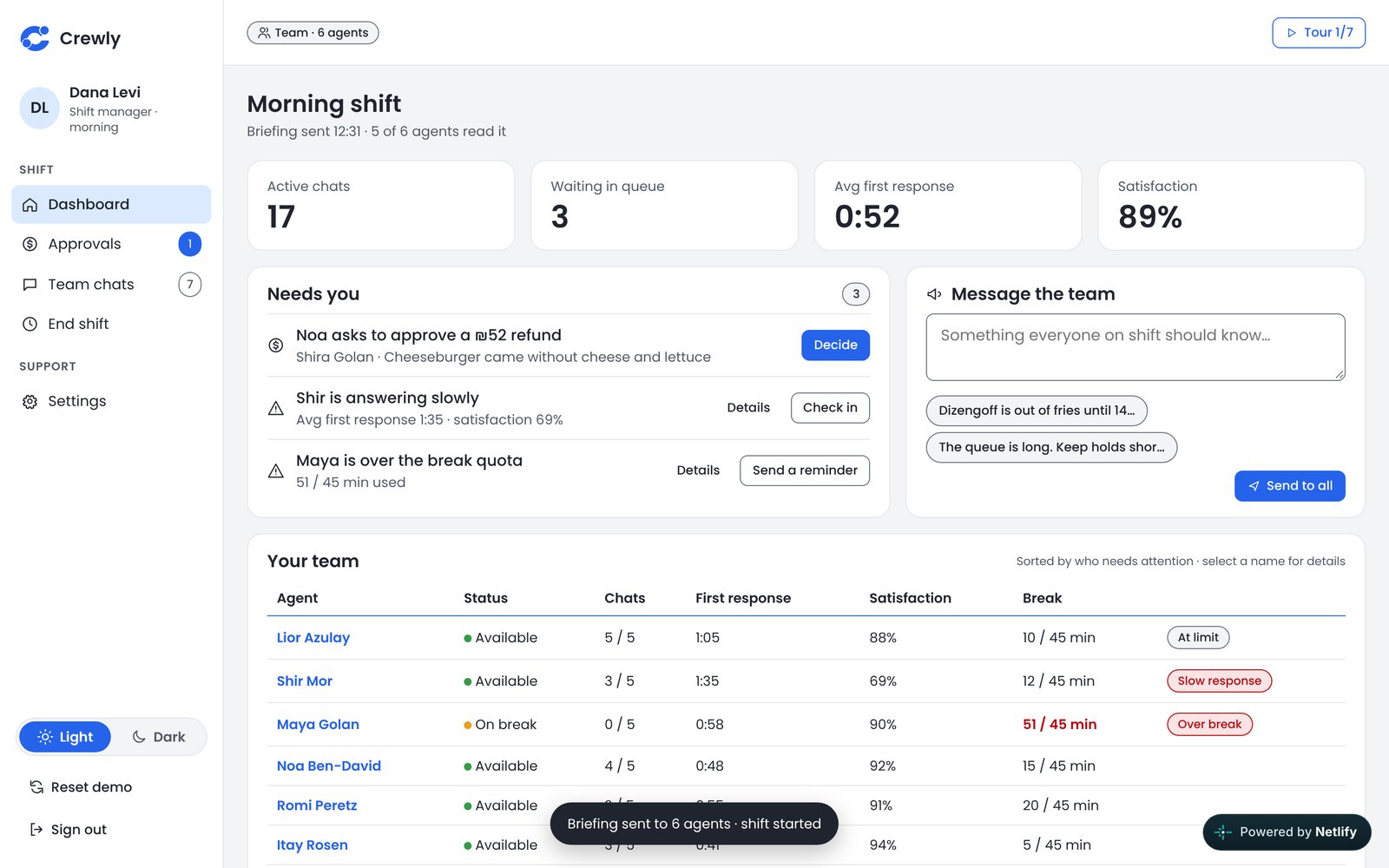
Solution: A dashboard that tags only the exceptions, approval requests with the responsible party and a wait timer, a shift budget, and a read-only watch with a private note to the agent.
Branch data arrives in pieces, so there is no single picture of the chain.
Solution: A nationwide dashboard with detail per branch, customer satisfaction, and reports that are distributed automatically.
Noa handles several delivery complaints at once. She wants to solve each one properly and keep her response times down.
Forgetting a conversation that has been waiting Chasing approvals while a customer waits Re-asking for context the last agent already had
Never lose a conversation Know what the customer already told us Get a clear decision on refunds
Timers and a five-chat limit Summary and previous conversations Refund decisions that return as a note
Dana runs a shift of fourteen agents. She decides on refunds, protects the shift budget and steps in when someone is struggling.
Finding out too late that an agent went over a limit or got stuck with a customer Approvals piling up Not knowing who is responsible for the problem
See who needs help right now Decide fast without losing control of the budget Help an agent mid-chat, out of the customer’s view
Tags for over limit, over break and slow response Approvals with responsible party and budget Read-only watch and private notes
Eli answers for the chain’s service quality. He looks at trends across branches, not at individual conversations.
Branch data that arrives in pieces Hard to compare branches Reports built by hand
A nationwide picture at a glance Spot weak branches early Reports that reach the right people
Nationwide dashboard and branch detail Customer satisfaction Automatic report distribution
Customers are not users of the system. The personas are fictional, written to represent the three roles of the system.
One flow per role. The highlighted step is the moment the role exists for.
One order that went wrong, followed through all three roles. It is the same story the live demo tells.
Shira sends a photo: no cheese, no lettuce. Noa asks Dana to refund ₪52, with the branch as the responsible party. While she waits, a suggested-next-step bar tells her what to do.
Dana sees the photo and the policy side by side. A full refund isn’t standard for missing toppings, so she offers a ₪30 voucher. Her decision returns to Noa as a private note, with the reply ready to send.
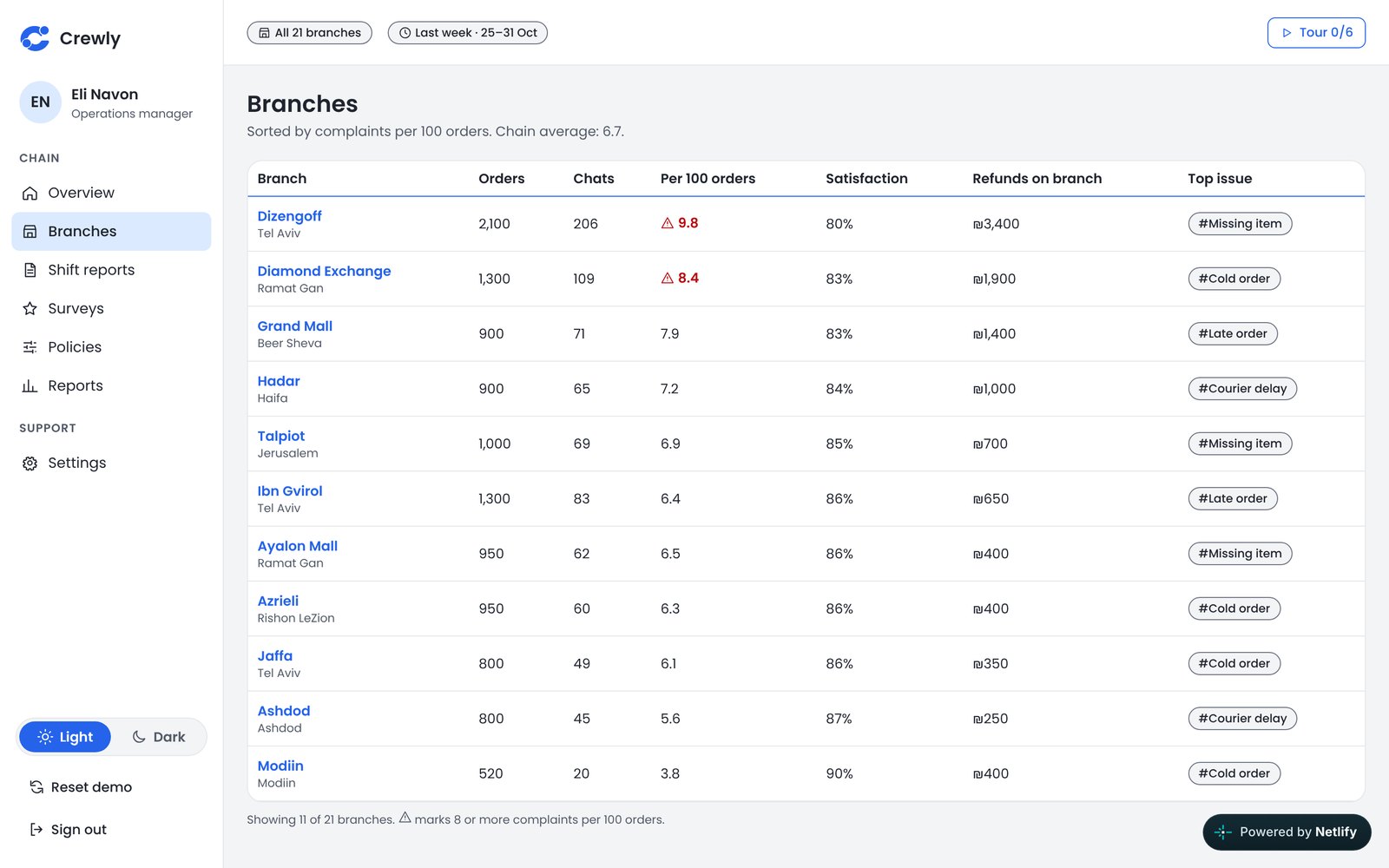
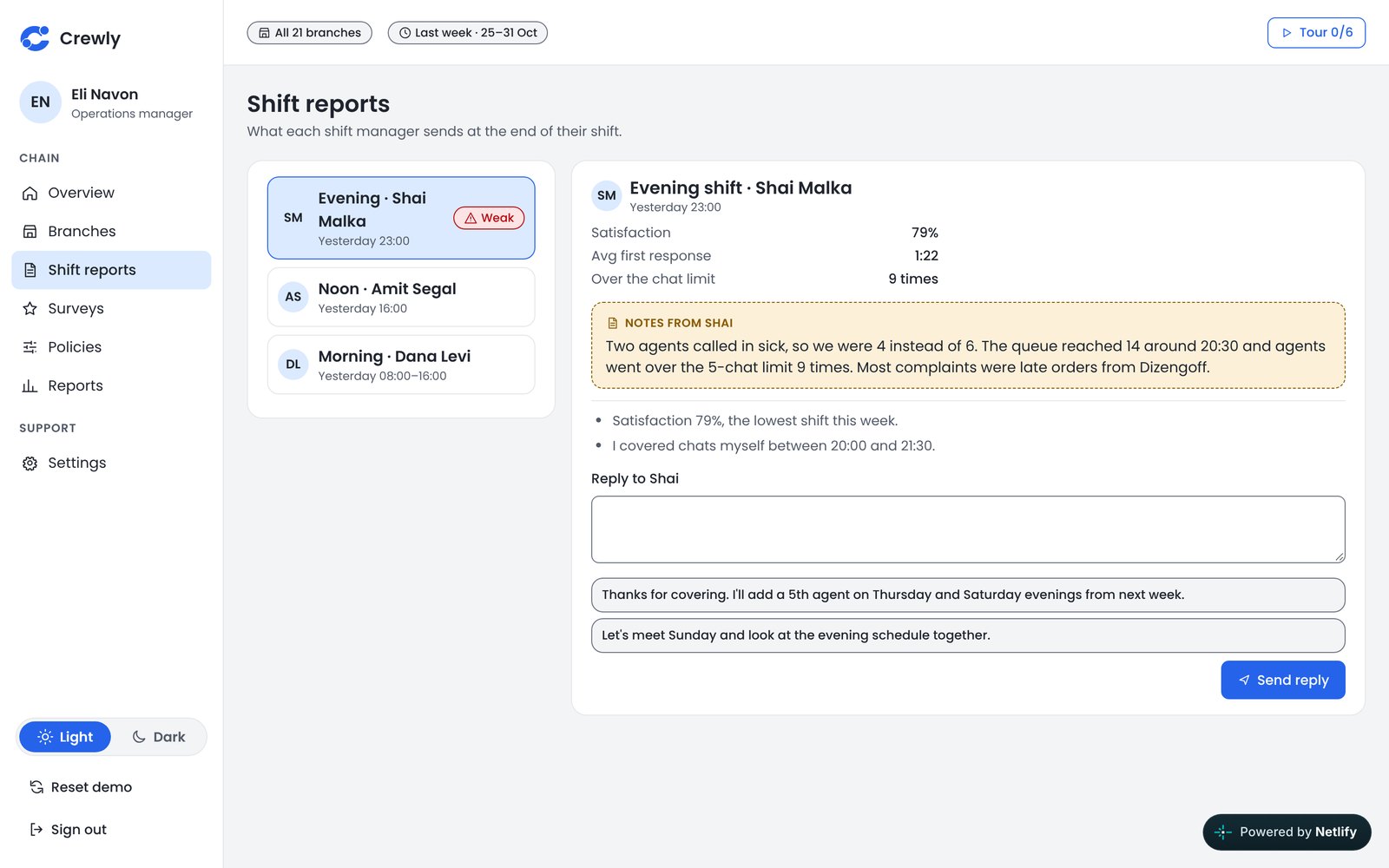
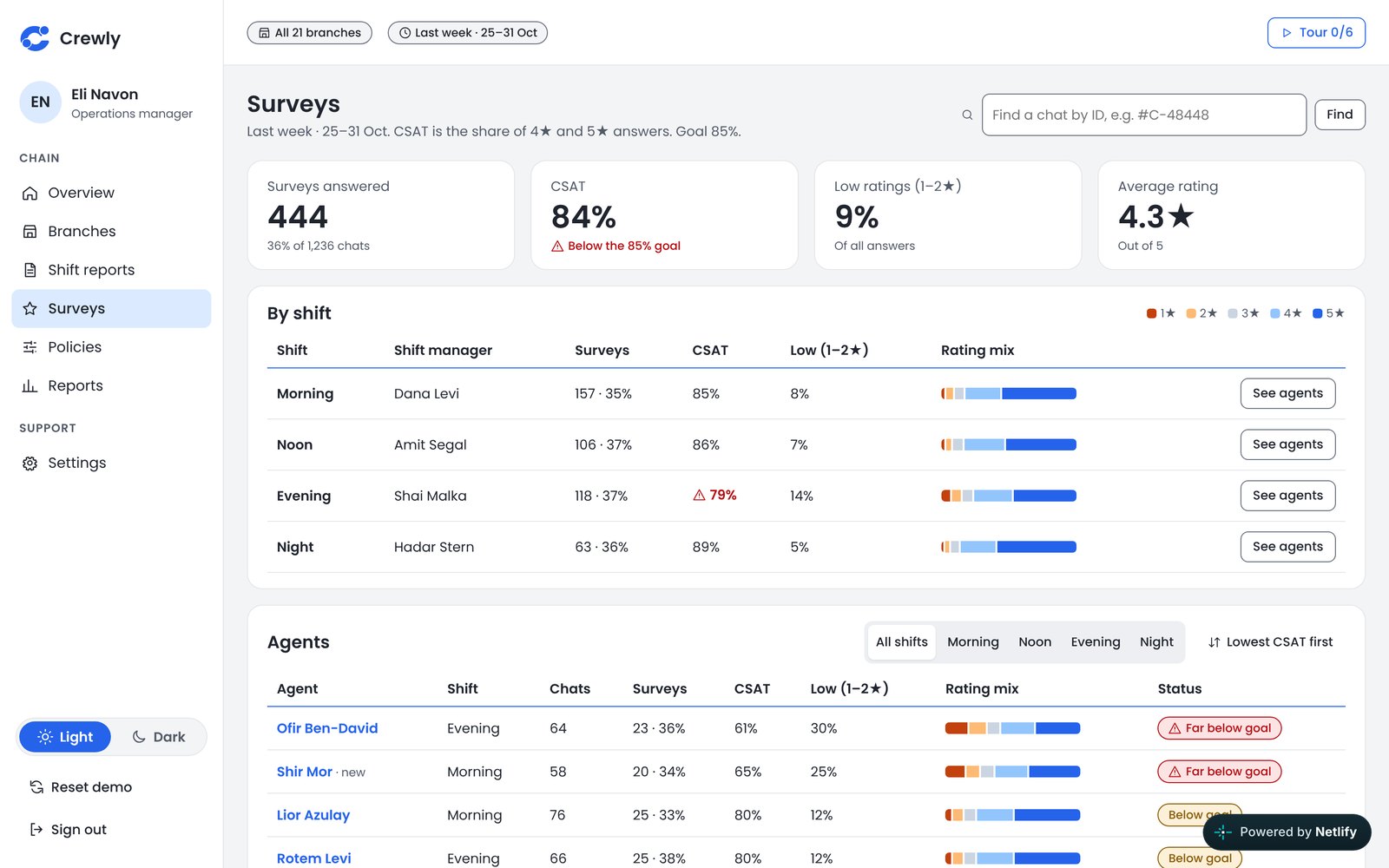
At the end of the week Eli sees the chats behind the numbers: Dizengoff has the most complaints, mostly missing items. He asks the branch manager for a packing check and makes a responsible party required on every refund.
Usability led each decision: efficiency, clarity, and preventing mistakes before they happen.
One conversation mixes what the customer sees, an agent’s internal note and a private message from the shift manager. Notes are amber with an outline, so they can’t be sent to the customer by mistake. The manager’s outline is solid and the agent’s is dashed.
When a customer types a card number, the conversation shows only the last four digits and a warning, with a button for a ready reply that explains the refund returns to the original payment method. The agent doesn’t have to think about it.
A refund request shows who is responsible: branch, courier or platform. The shift manager approves, gives a voucher instead or rejects, and the decision returns to the agent as a note. The shift budget and the split by responsible party sit on the same screen.
Tables have no row background colors. A solid red tag appears only when someone goes over a quota, so the eye stops only where action is needed. An agent on break appears in the list only if they went over.
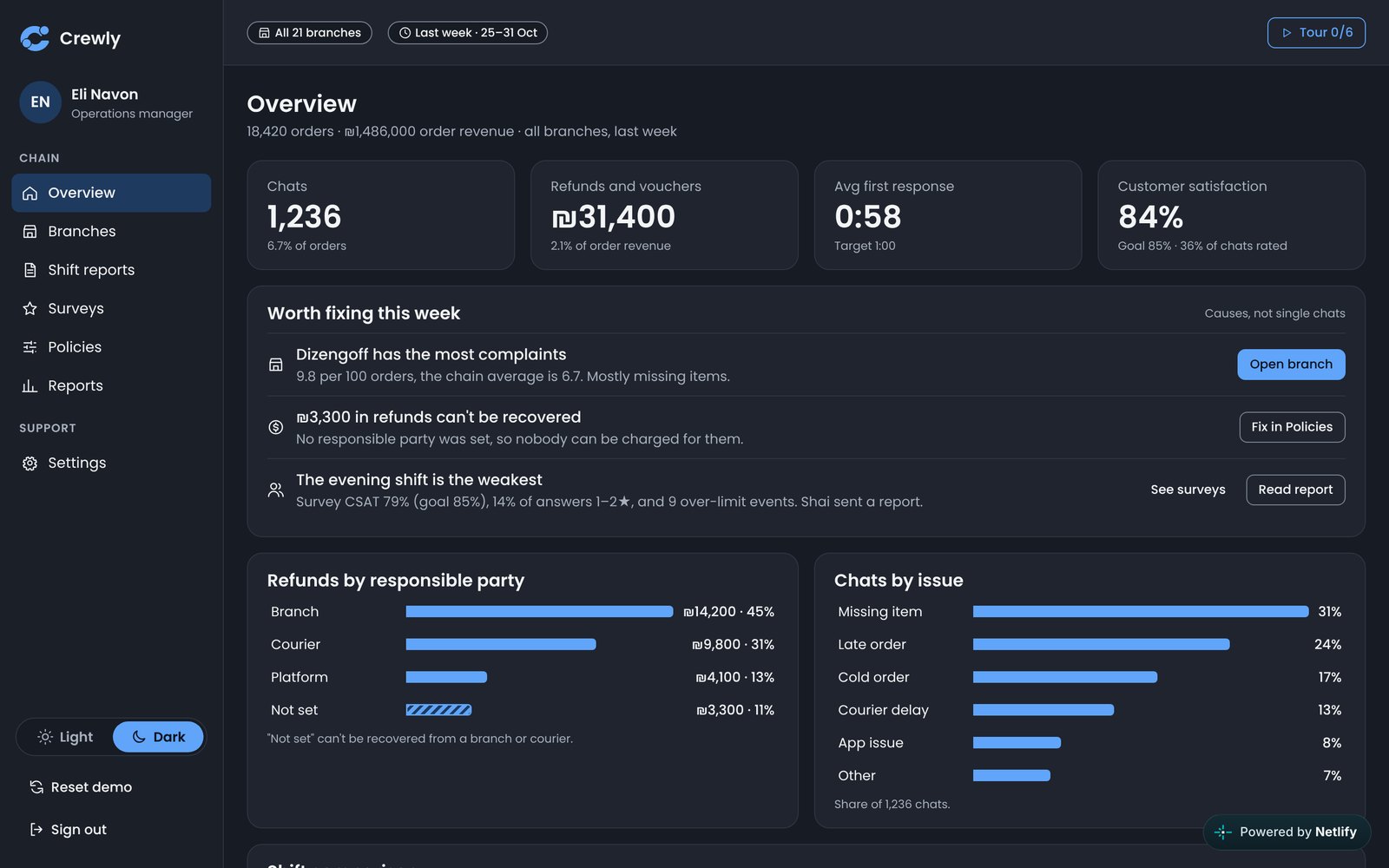
The system is open all shift, so it has a complete dark theme. The primary button is lighter with dark text, and status colors are brightened to stay readable.
Each in a light and a dark theme. Every role can also be tried in the live demo.
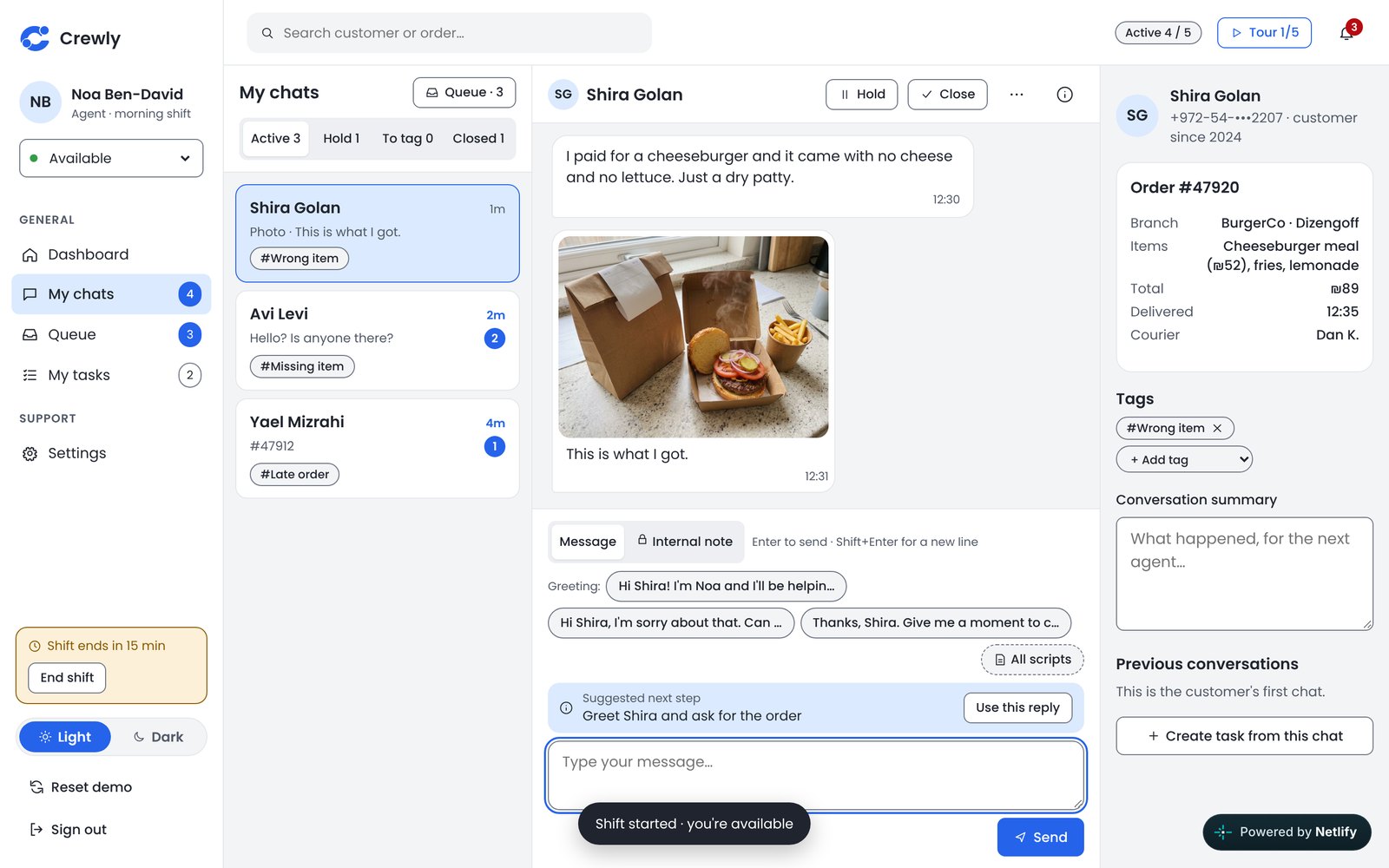
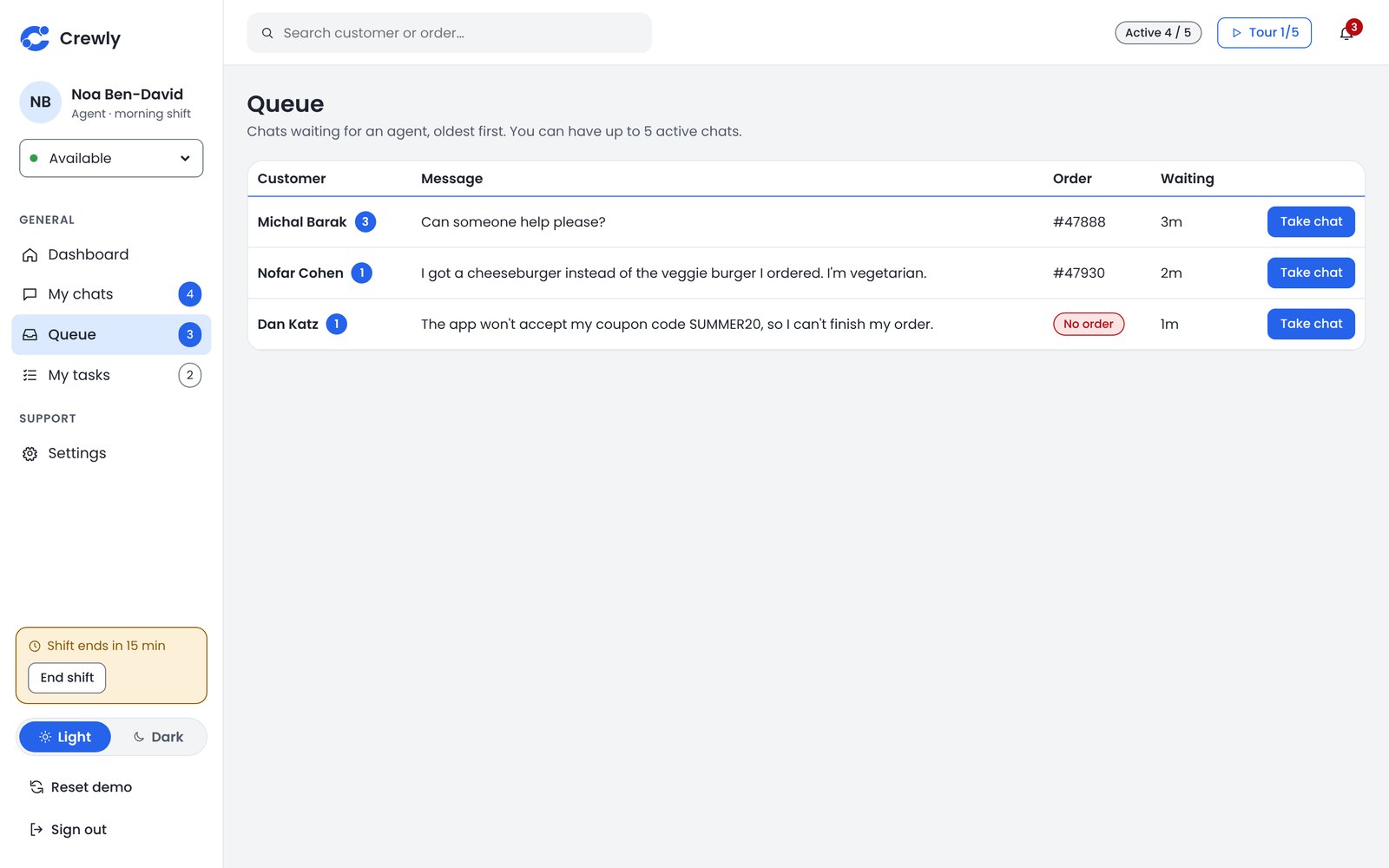
Agent · one conversation, with the customer and order beside it
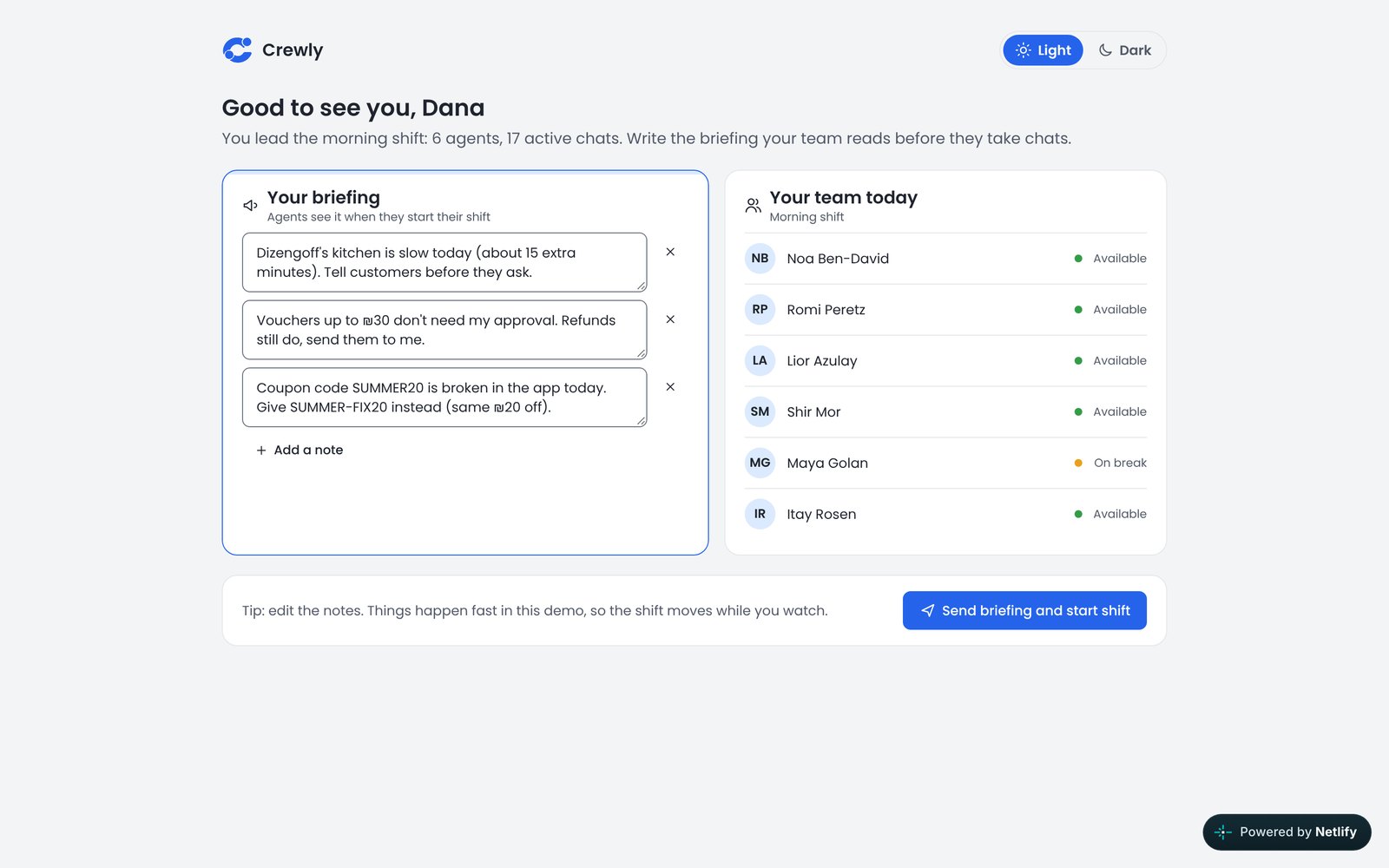
Shift manager · live dashboard of exceptions
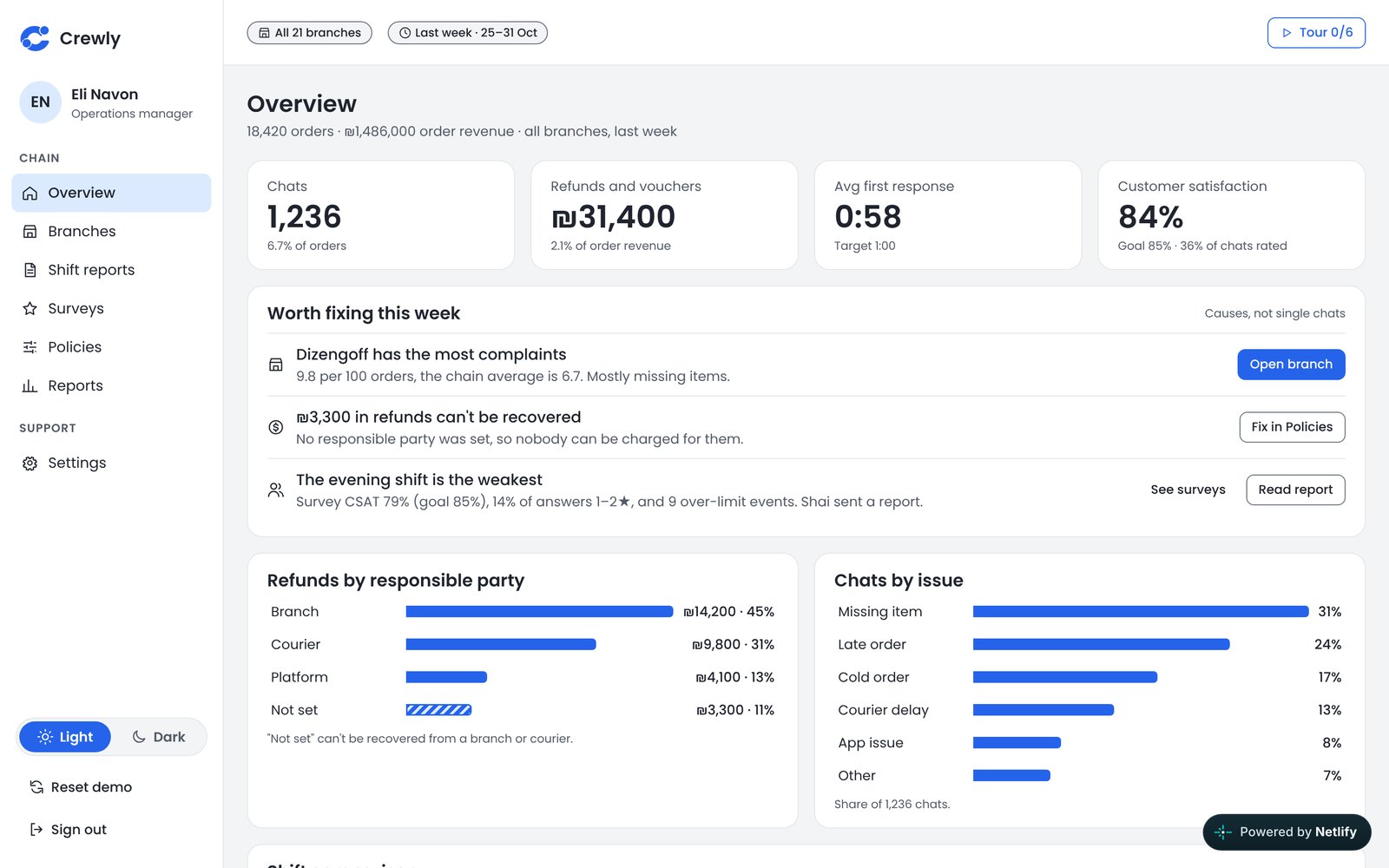
Operations manager · overview of all 21 branches
I chose a clean blue on a cool grey. Earlier directions were dropped because they felt cold or heavy. The final palette was checked for contrast in both themes.
I’m a designer, not a developer. I worked with Claude in two stages and made the product decisions myself.
We defined the problem, the three personas and their flows, then the design system: colors, type, light and dark, contrast. The screens were built on a shared canvas and polished round after round. I chose the clean blue direction and what stayed out.
We turned the screens into a web app with three roles and put it online. Claude wrote the code. I set the scenarios, the rules and the copy, and went through every flow myself.
A ticking countdown felt stressful, so times became calm labels. Hold kept its name and got an explanation in the tour. Moving chats away from a slow agent isn’t a real scenario, so a handoff happens when an agent leaves. On a phone, tables turn into cards.
I worked as a customer-service agent. That is where the rules come from: who approves a refund, why a responsible party matters, and why a manager should hear about the exception, not every chat.
Selected screens from all three roles.
AgentHandle Shira’s burger, ask Dana for a refund, and end your shift with a handoff.Shift managerBrief the team, decide on refunds, help an agent with an upset customer, and hand the shift over.Operations managerFind the weakest branch, read the survey ratings behind a shift, and change a policy.Each role has a short tour. All people and orders are fictional, and everything stays in your browser.